
Manual for the Womy App
In this guide, we'll walk you through the installation and initial setup of the app step by step, so you can get started quickly. Follow the simple instructions below and discover how to get the most out of the Womy App.
Before you can connect the app to your Womy device, the following is important:
- The Womy (Mat & Breather) is already installed and powered.
- Keep your Wi-Fi password handy, as you will need it during configuration.
Scroll down to see the instructions.
1. Pairing your Womy and the app
In this guide, we'll walk you through the installation and initial setup of the app step by step, so you can get started quickly. Follow the simple instructions below and discover how to get the most out of the Womy App.
Before you can connect the app to your Womy device, the following is important:
- The Womy (Mat & Breather) is already installed and powered.
- Keep your Wi-Fi password handy, as you will need it during configuration.
Scroll down to see the instructions.

1. Installeer de Blynk app
Download de Blynk app in de Apple App Store of Google Play Store
2. Log in with your account
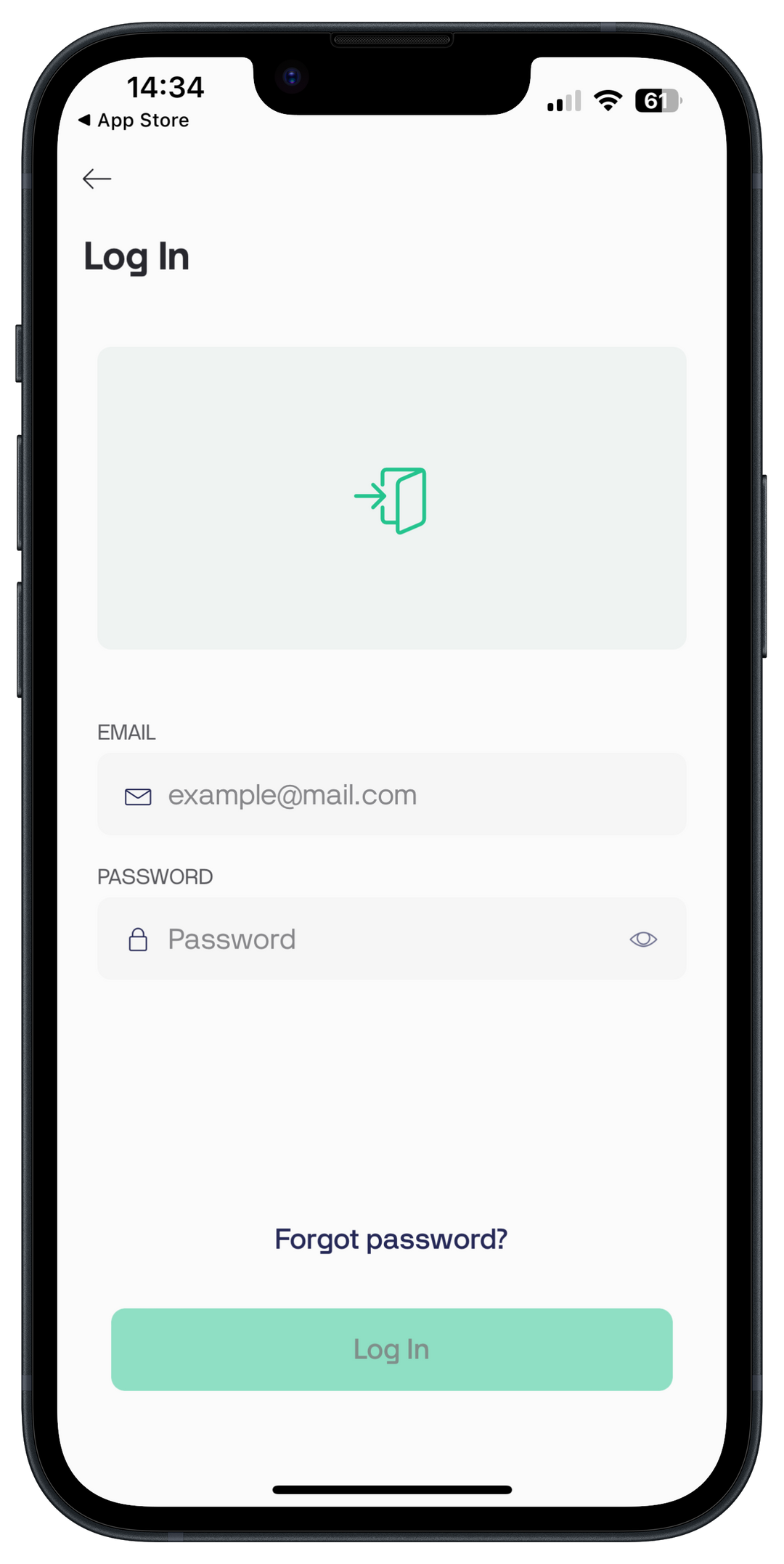
You've received an invitation from Blynk in your email inbox. Click the link in the email to create an account and password. You can then log in here with your email address and password.
3. Allow notifications
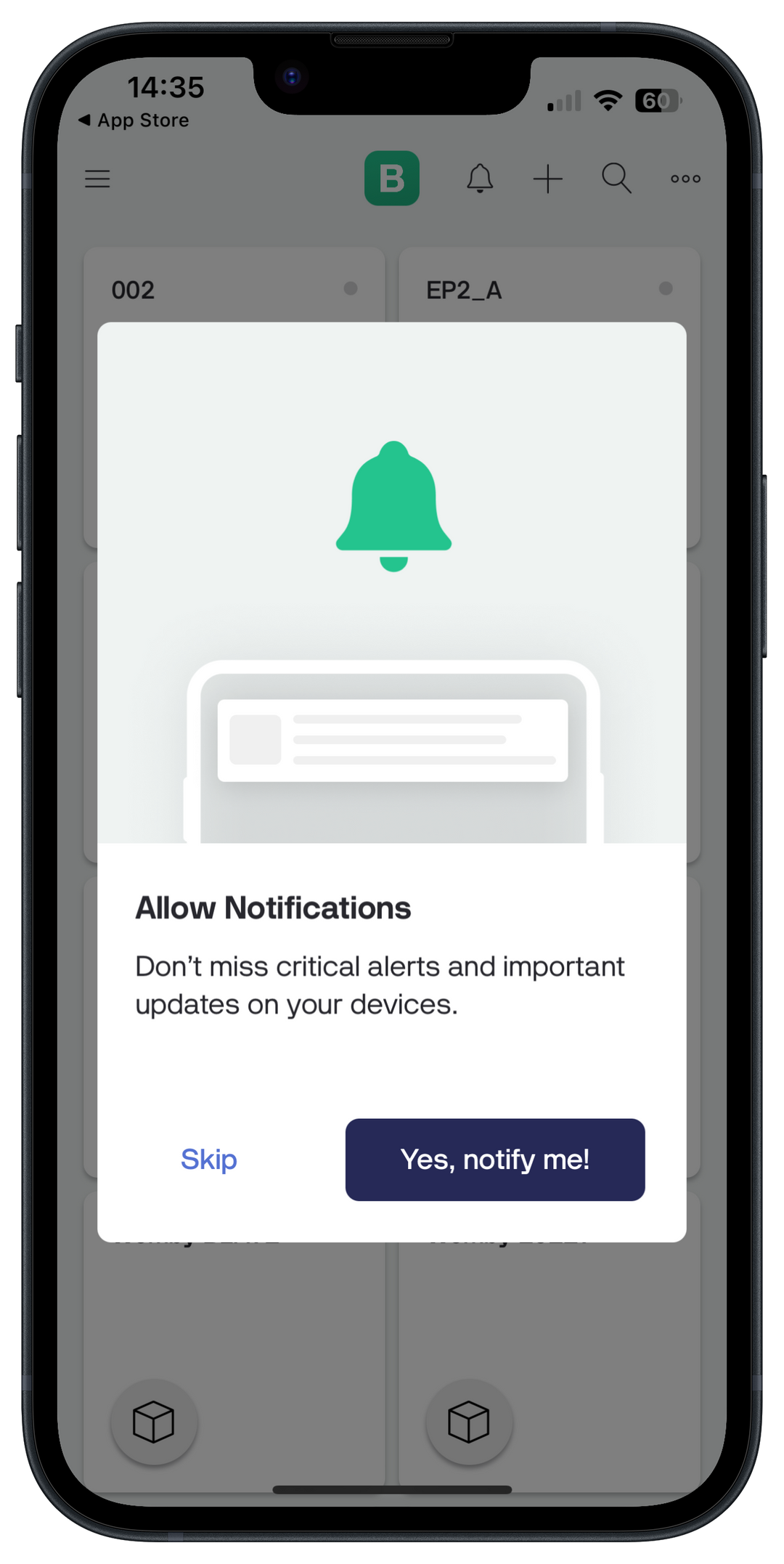
Indicate whether and how you want to receive notifications.
4. Add new device
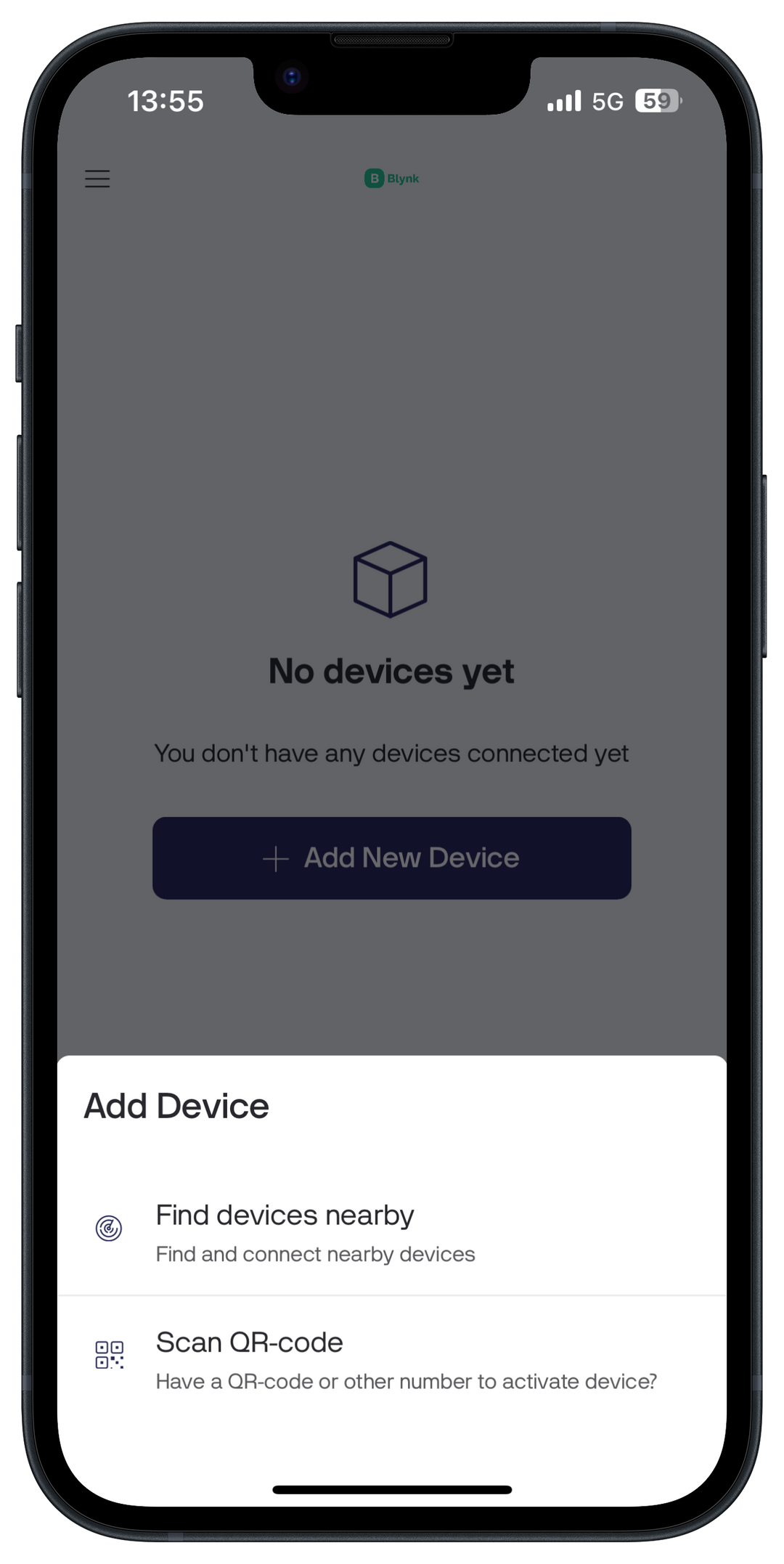
Click 'Add New Device' and select the option 'Find devices nearby' to connect your Womy.
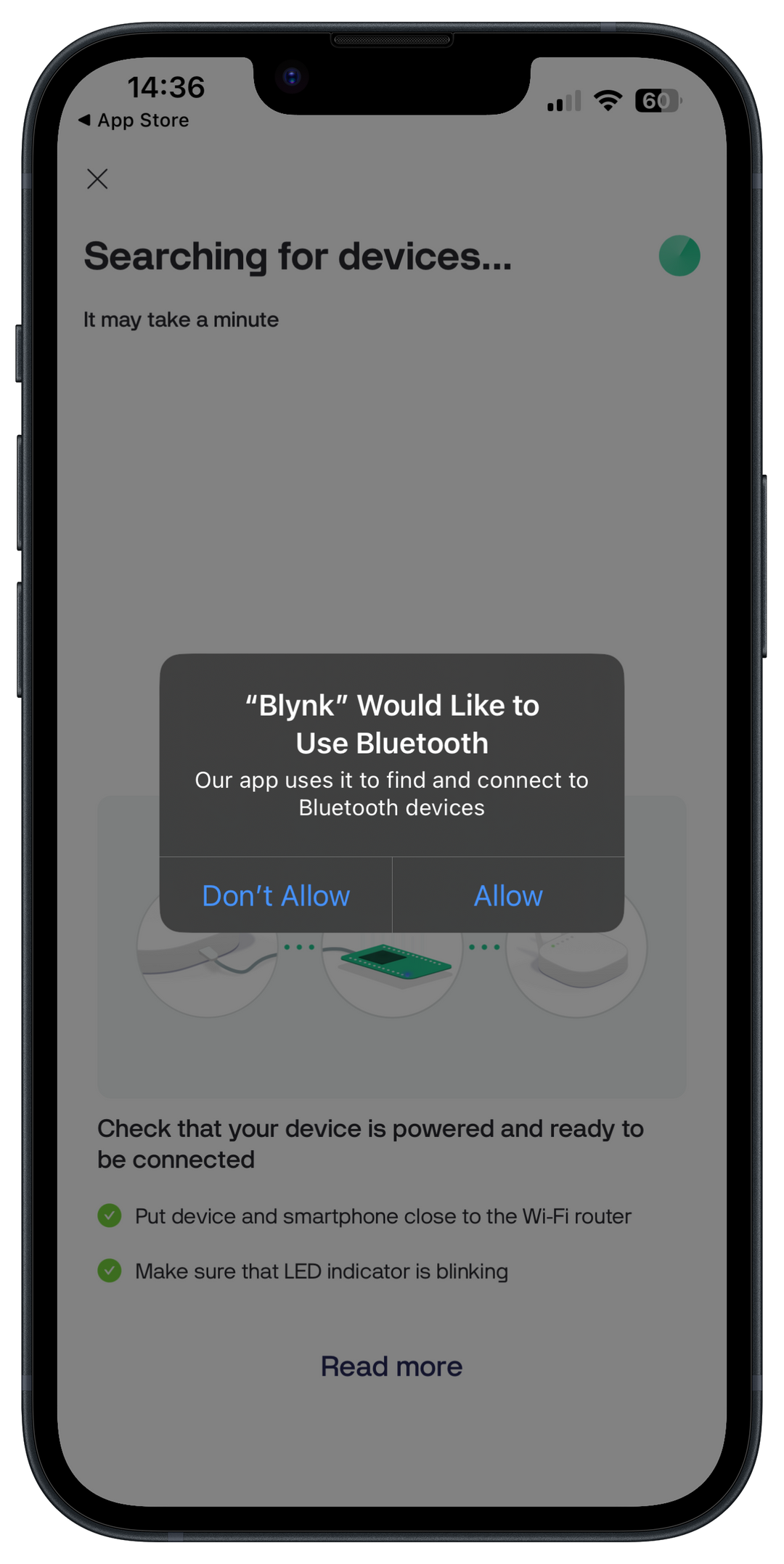
5. Access to Bluetooth
To pair your Womy, Blynk needs access to Bluetooth.
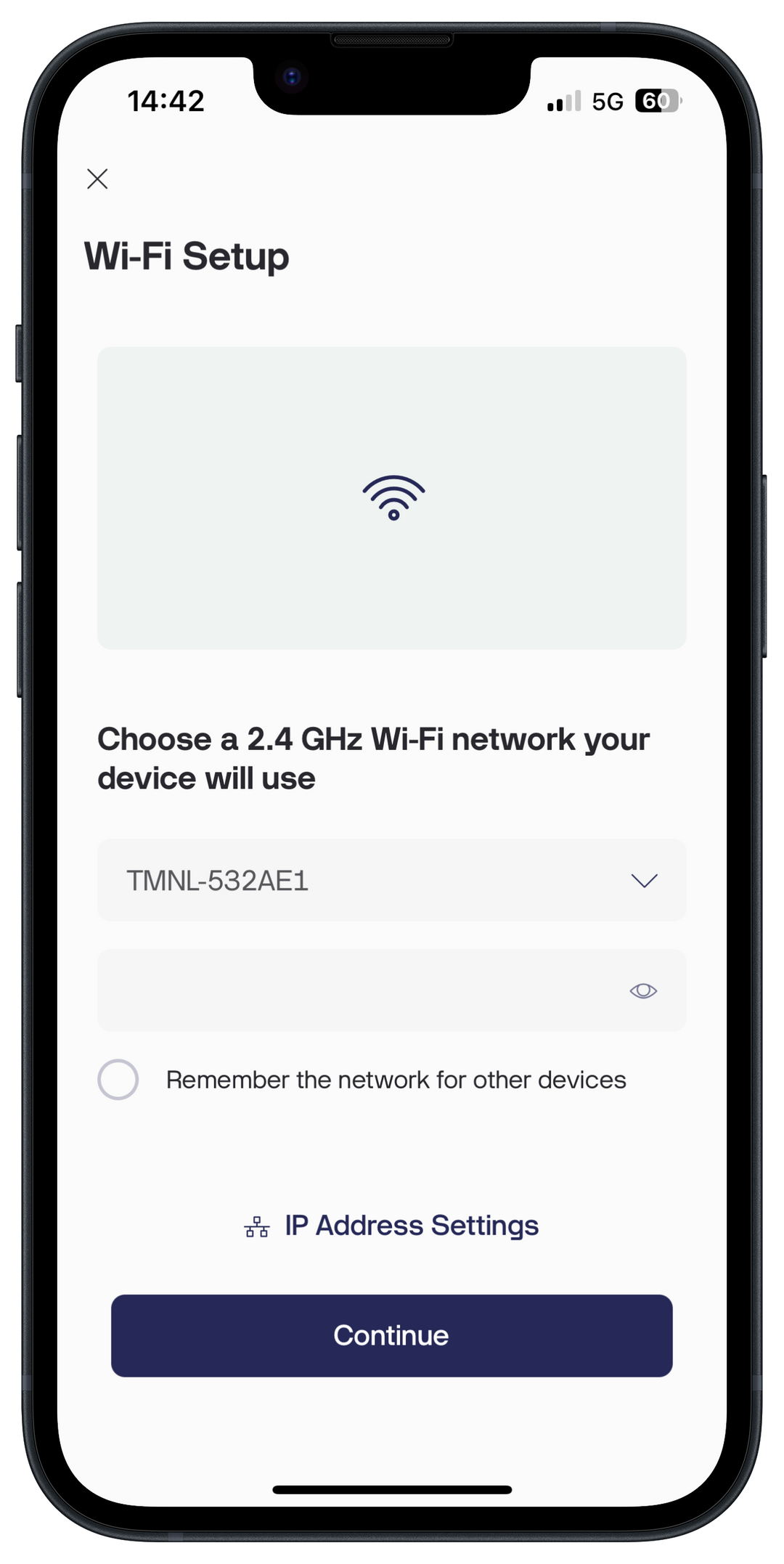
6. Wi-Fi login
Select your Wi-Fi network and enter your network password and press 'Continue'

7. Womy configuration
The connection between your Womy and the app is almost complete.During configuration, make sure the white light on your Womy is flashing.
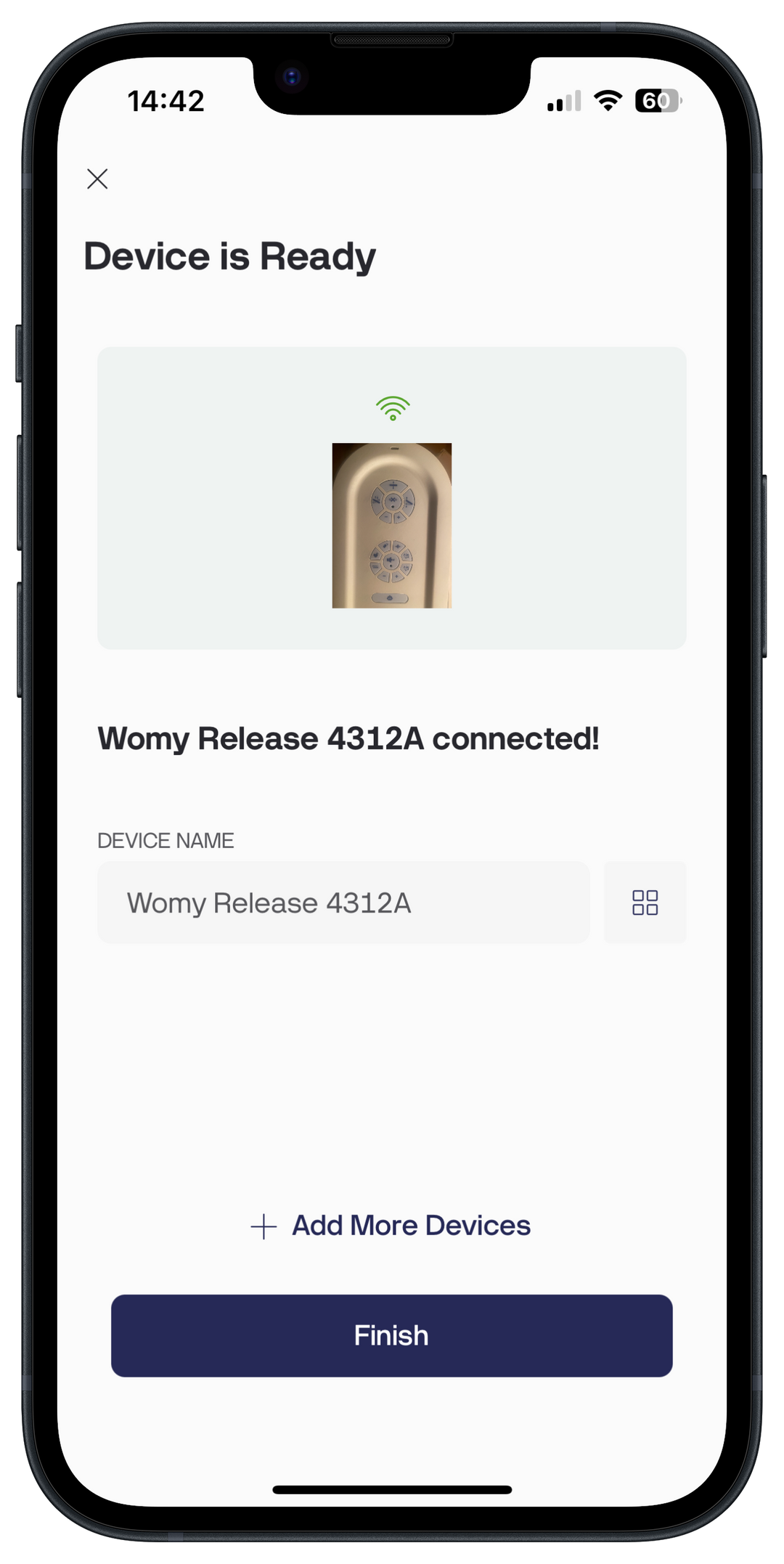
8. Pairing completed
Your Womy is now successfully paired and fully controllable from the app. You can change the name of your Womy, or you can do this later in your settings.
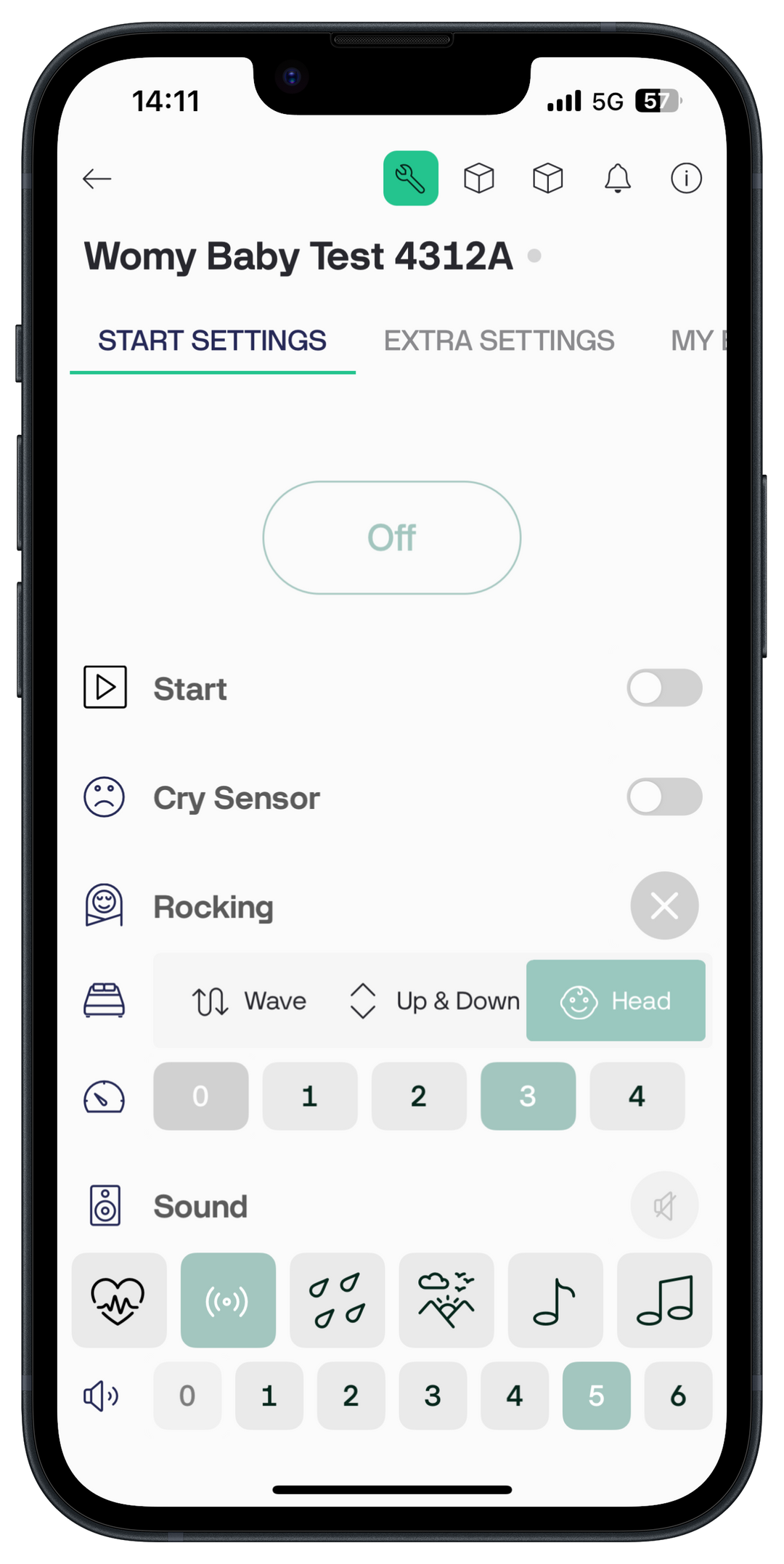
9. Driving the Womy
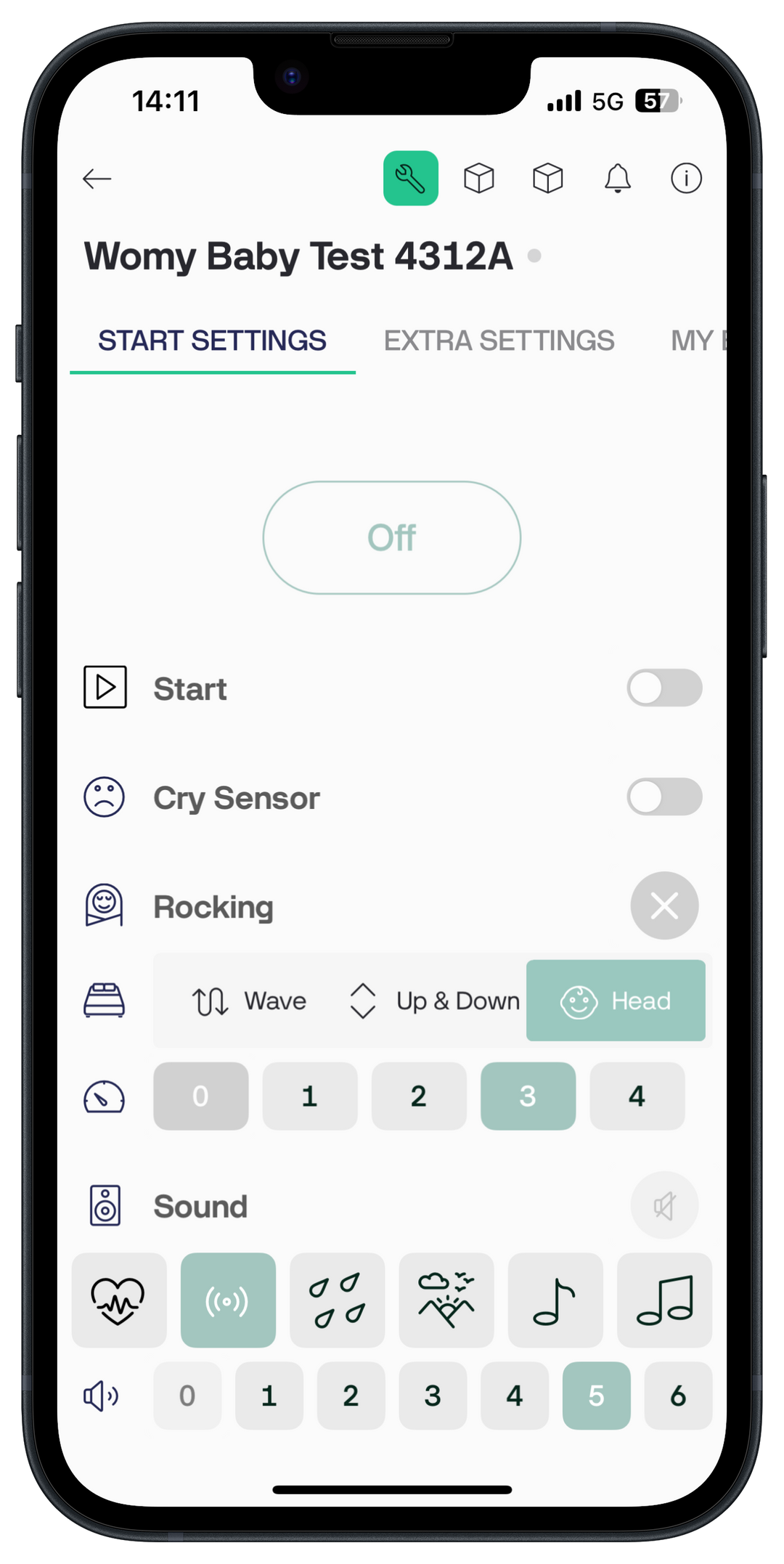
Your Womy is ready to use! In the home settings, you can customize your Womy's sound, crib rhythm, crib type, and more.
Womy's start settings
Cry Sensor: when it hears crying, the Womy automatically turns on.
Rocking (rocking):The rocking can be turned on or off as a whole.
Type of cradlesThere are different types of cradles available:
- Wave: air is pumped alternately into the top and bottom of Womy Mat, creating a wave-like movement
- Ups & Down - the entire Womy Mat moves up and down in a rhythmic manner
- Head - only the top of the Womy mat moves
Sound (sound)The sound from the Womy can also be switched on or off. There are six different types of sounds to choose from, including heartbeat, wind, and music. The volume can also be adjusted.
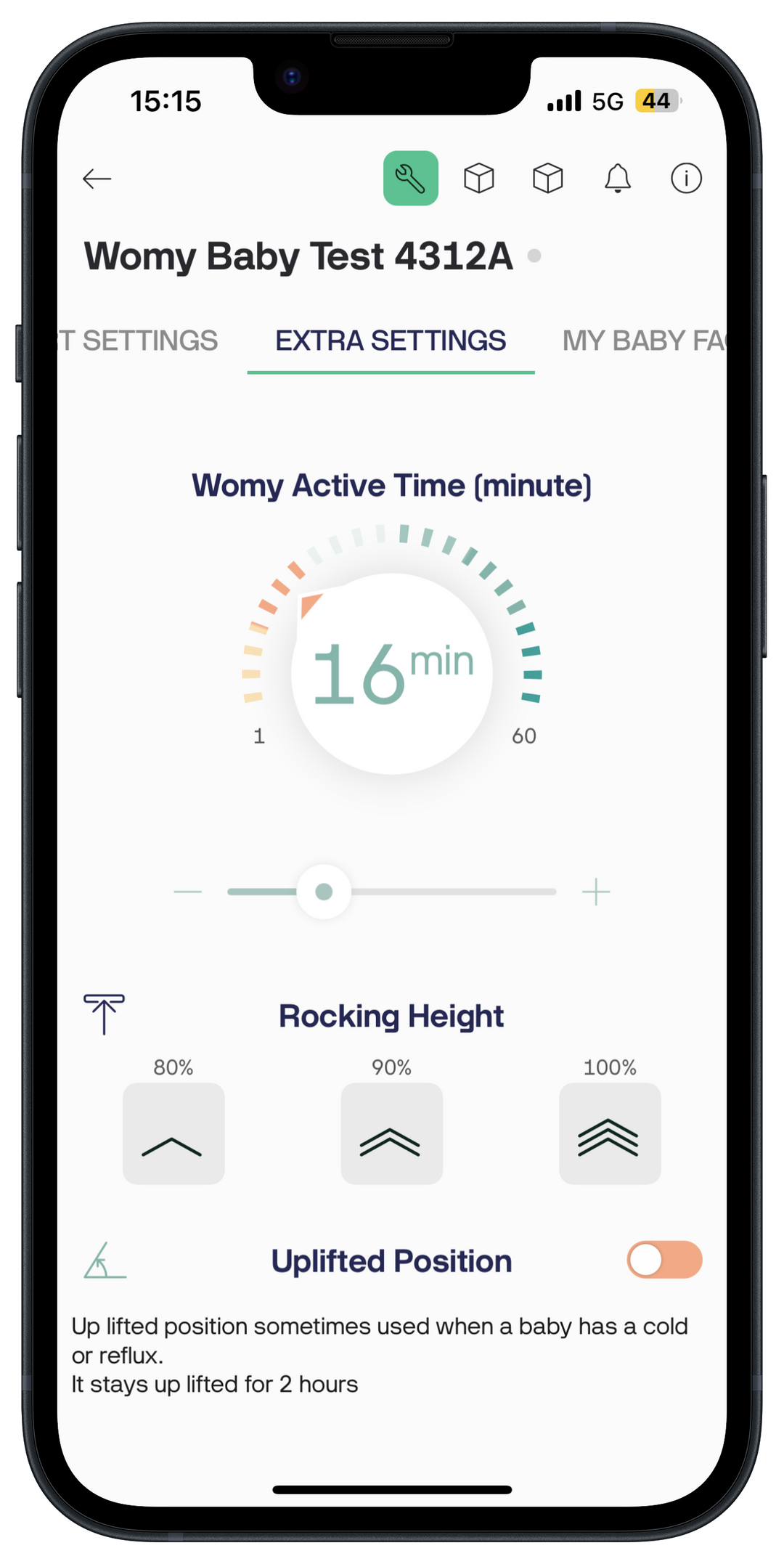
Womy's extra settings
Within this tab you can further customize specific settings of the Womy.
Womy Active Time: With this setting you can adjust how long the Womy should remain active (in minutes).
Rocking HeightThe maximum height of the cradle can also be adjusted. This setting is useful if you want to reduce the use of the Womy Sleeper.
Uplifted Position: With this option you can create a slightly raised position.
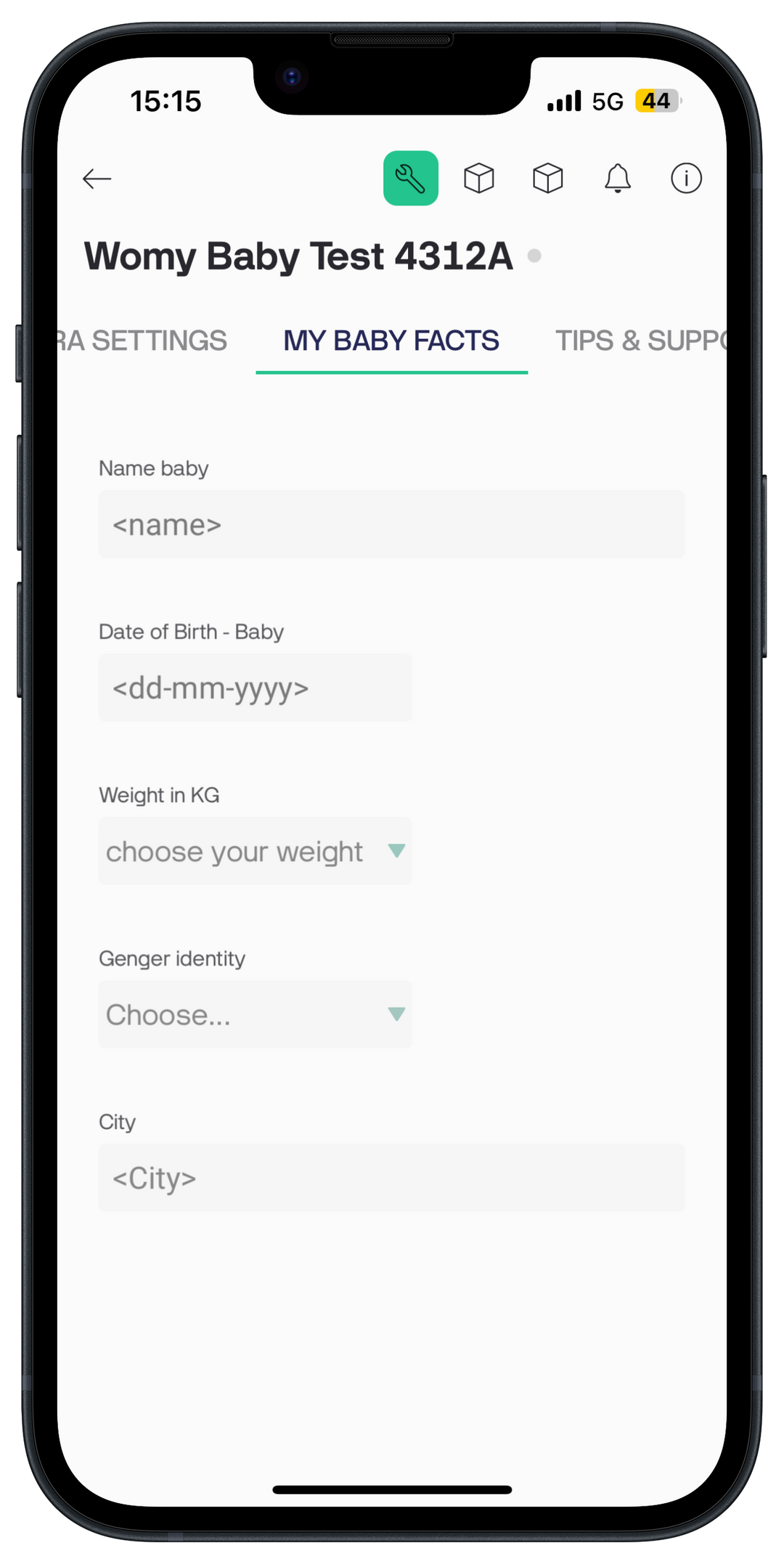
My Baby Facts
In this tab you can add specific information about your baby
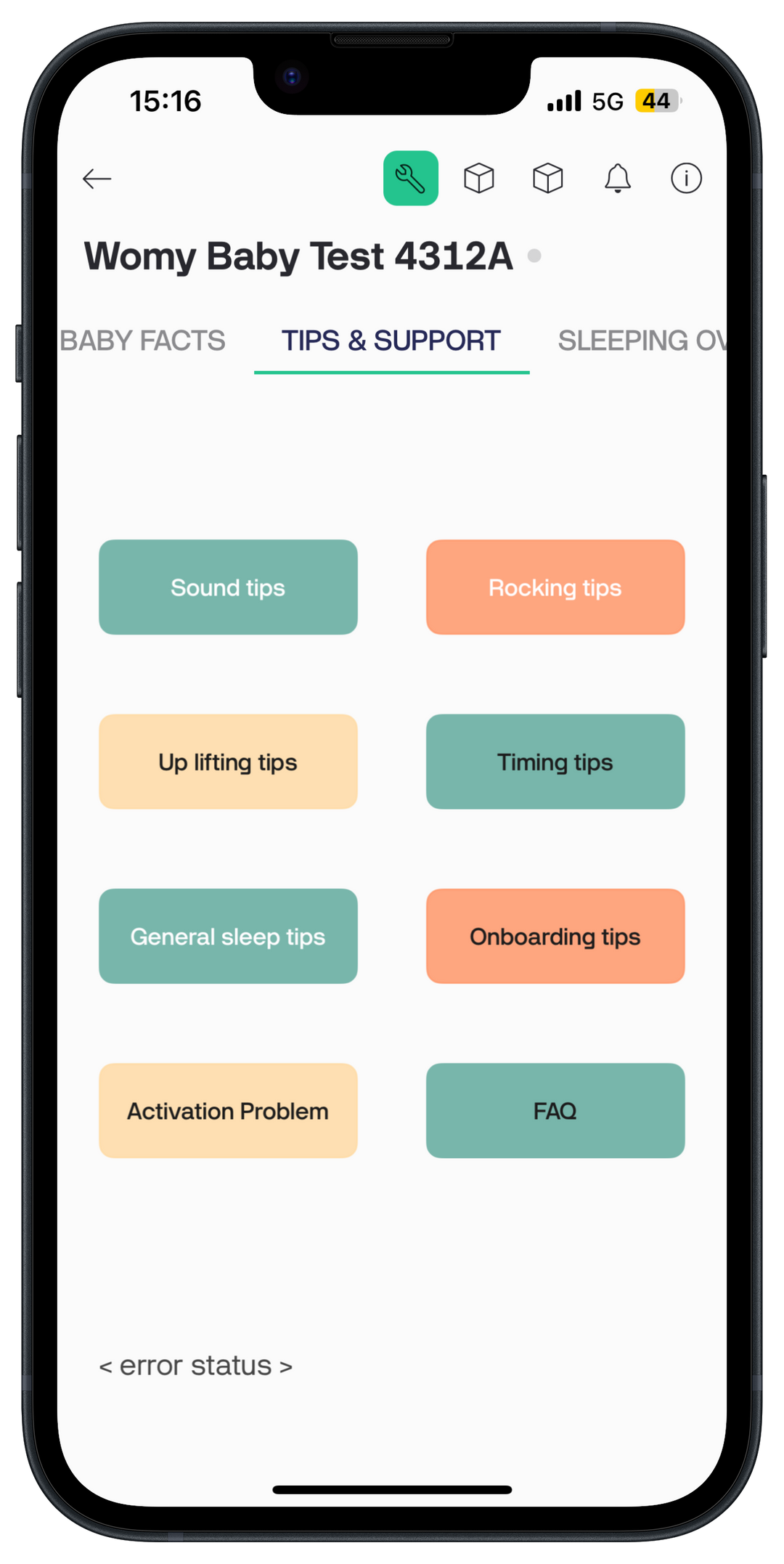
Tips & Support
In this tab, you'll find an overview of useful tips and links to help you get even more out of your Womy and help your baby sleep even better.
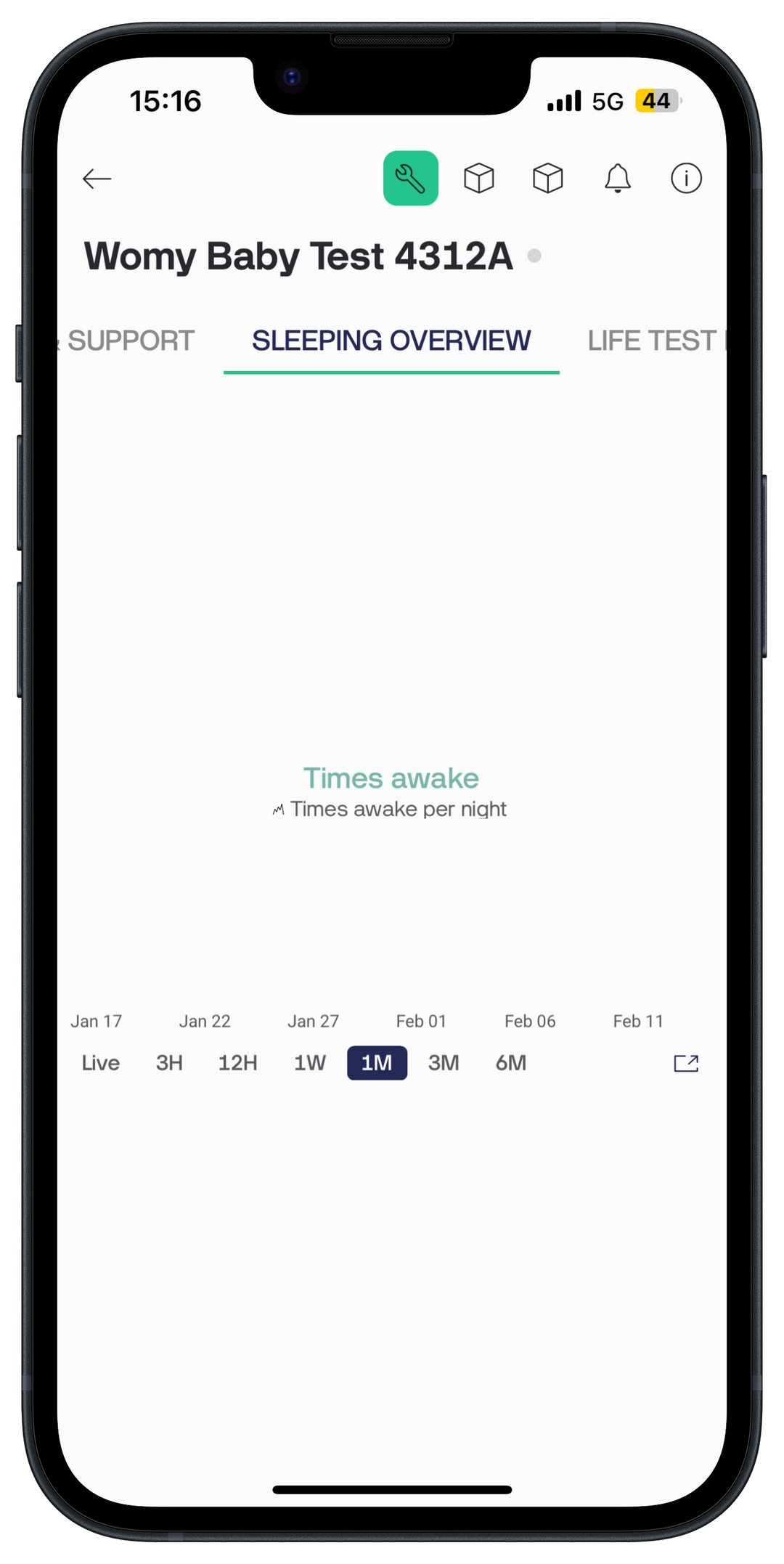
Sleeping Overview
Curious how often your baby woke up during the night? Or do you want to see how your baby's sleep is progressing?
In the Womy App you can easily see how often the Womy has been active during the night after the cry sensor went off.